Custom writing styles
Sound like you.Or like your company.
The 20+ built-in writing styles work well out of the box for most people. If you want full control over your text style, shape a style of your own.
Two ways to personalize
Teach it
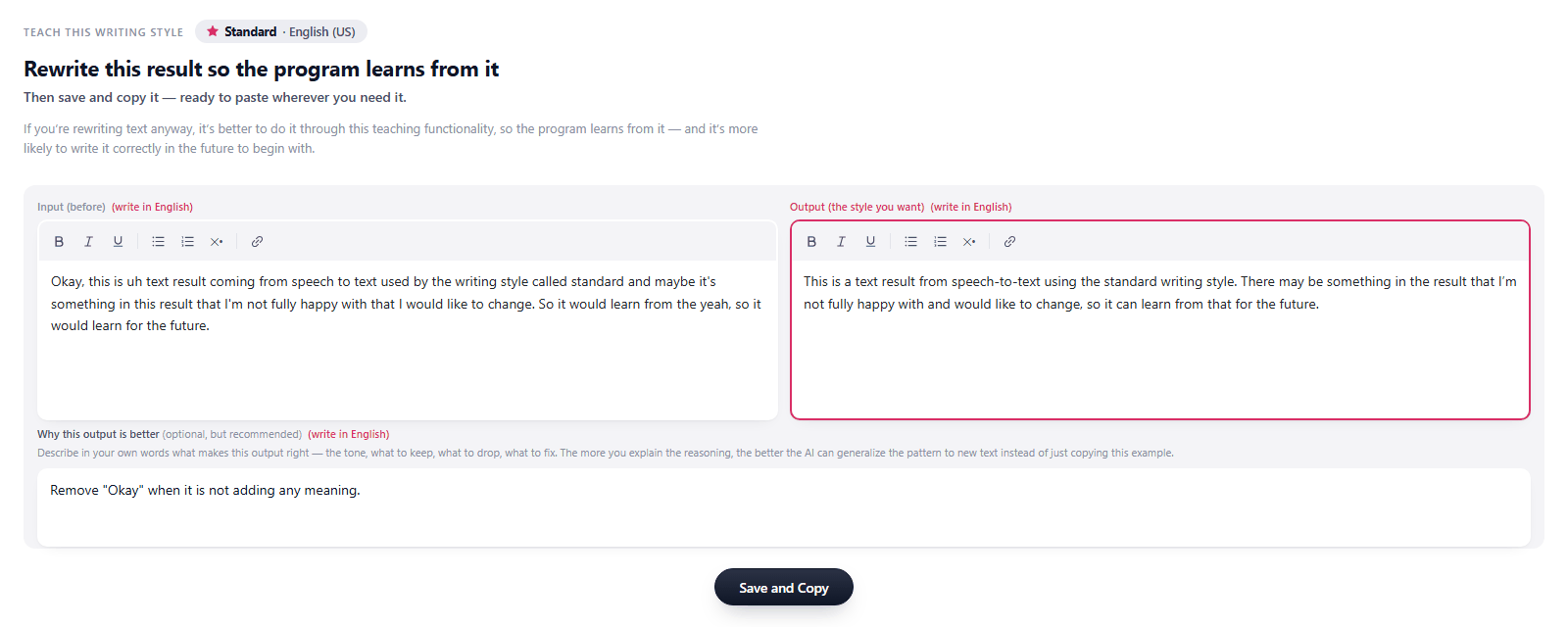
Teach as you go. When a result is not quite right, press Teach, rewrite it the way you wanted it and optionally explain why. Each correction becomes an example the style learns from, so the next result comes out closer to how you would have written it.
Define a style
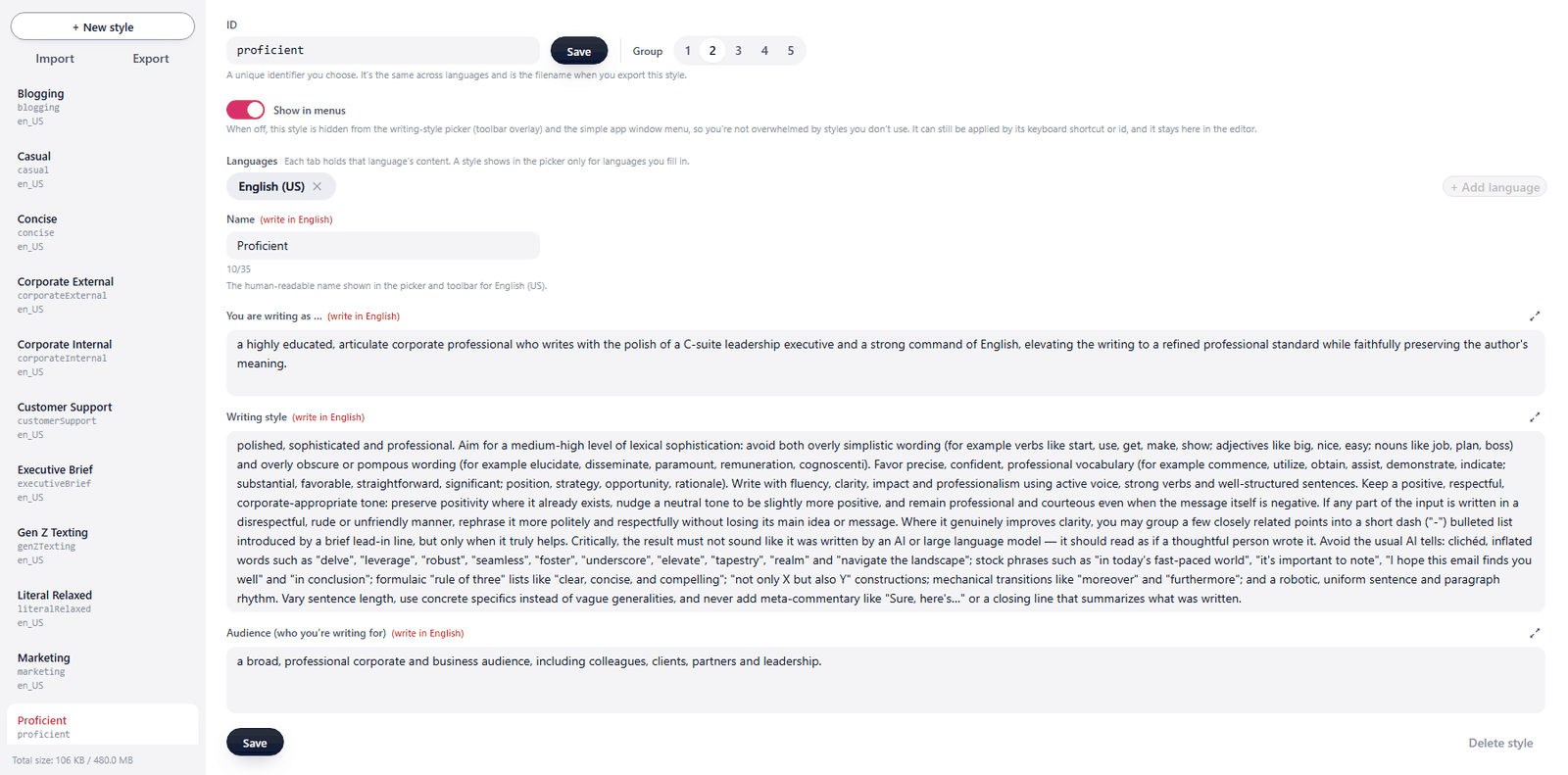
Create a new style, or edit one of the built-in ones. In your own words, say how the writing should behave, who it is written by and who the intended reader is.
Personalization
The same personalization applies to both:
- Speech to textSpeak, and the text arrives written in your style.
- Highlighted text editSelect text you typed yourself on a keyboard or written by someone else. Automatically rewritten in your style.
What it looks like
The Teach button
It appears in the toolbar right after a result from a custom style. One click opens that result for teaching, using it as an example.

Teaching by example
Rewrite the result the way you wanted it and add a short note on how and why. Every example brings the next result closer to your voice.
Defining a style
A name, then a description of the style, who writes in it and who reads it. Start from a built-in style or from a blank one.